Rafeeq Daha • June 23, 2026
Why Your Google Ads Are Getting Clicks But No Booked Calls
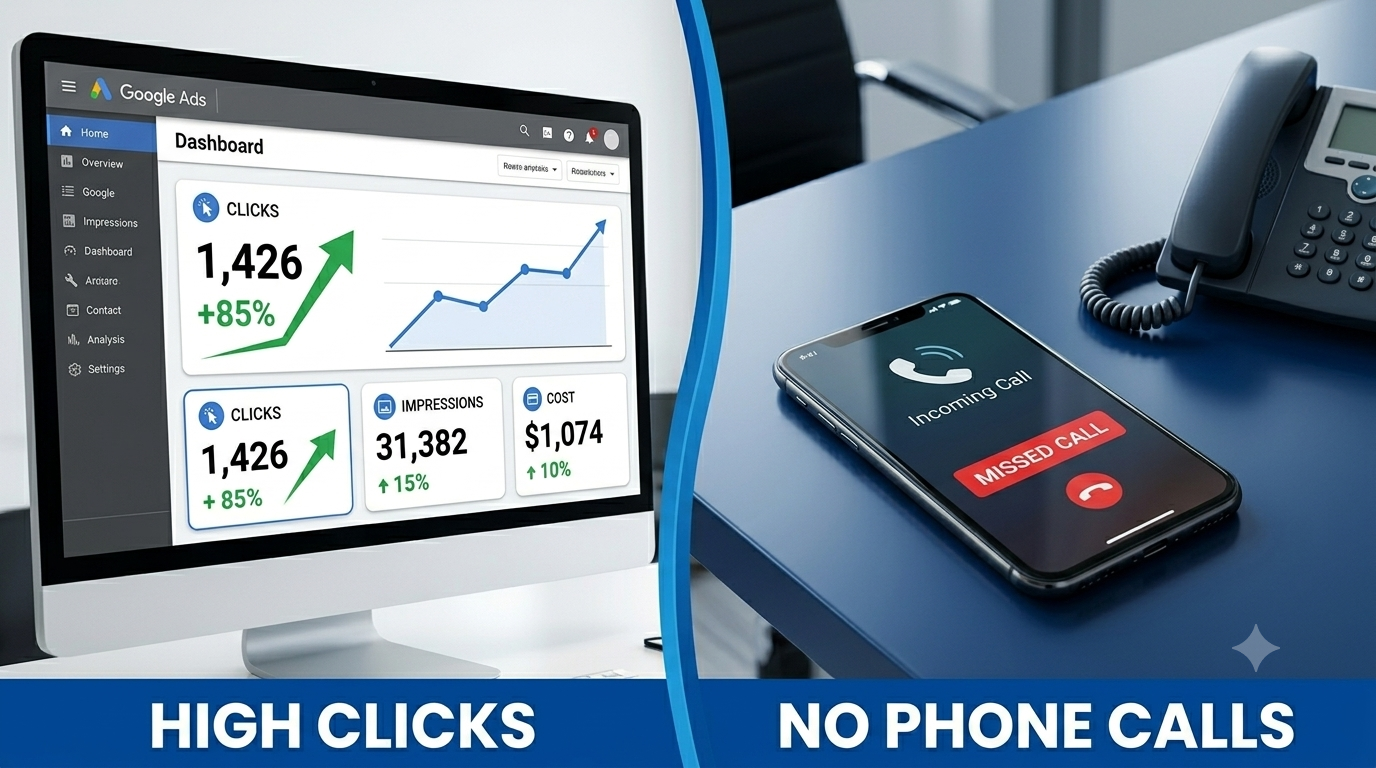
You check your Google Ads dashboard and the click numbers look healthy. A few hundred clicks this month. Click-through rate is fine. Cost per click is in a reasonable range. By every metric Google shows you on the surface, the campaign looks like it's working.
Then you check your phone and your booking calendar, and neither one reflects what the dashboard says should be happening.
This is one of the most common and most expensive problems I find when auditing HVAC, roofing, and plumbing ad accounts. The campaign is generating clicks. It is not generating booked jobs. And because the dashboard metrics look fine on the surface, most business owners assume the problem is somewhere else — a bad website, an unresponsive intake process, a slow season — when the real issue is almost always inside the campaign itself.
I have restructured ad accounts for service businesses managing over $1.4 million in combined ad spend. The six issues below account for nearly every case I have seen of clicks without calls.
1. You Are Paying for Searches From People Who Will Never Hire You
This is the single most common and most expensive issue I find. If your campaign is running on broad match keywords without a serious negative keyword list, a meaningful share of your budget is being spent on clicks from people who were never going to become a customer.
Search terms like 'HVAC technician jobs near me', 'how to fix AC unit myself', 'HVAC certification courses', and 'roofing salary' all trigger ads built around your core service keywords — and every one of those clicks costs you money while generating zero chance of a booked job.
How to check this in your own account
In Google Ads, open the Search Terms report — not the Keywords report, the actual Search Terms report, found under Campaigns then Insights and Reports then Search Terms. This shows you the literal phrases people typed before your ad showed up. Scroll through the last 30 days and flag anything that is clearly not a hiring-intent search.
What to do about it
Add every irrelevant term you find to your negative keyword list. Then go further and proactively add common irrelevant categories before they even show up in your report: jobs, salary, training, certification, DIY, how to, free, cheap, used, parts, and similar terms. A mature, well-maintained negative keyword list for a home service campaign typically has 80-150 terms in it.
2. Your Ads Are Running When Nobody Is Answering the Phone
If your ads run 24 hours a day but your office only answers calls during business hours, you are paying for clicks from people who call, get no answer or a voicemail, and immediately call the next result on Google instead.
This is an easy issue to overlook because the click still counts as a 'successful' click in your dashboard — Google has no way of knowing the call went unanswered. The cost shows up not as a flagged problem in your account, but as a quiet, ongoing leak in your booking rate.
What to do about it
In Google Ads, go to your campaign settings and set Ad Scheduling to match your actual staffed phone hours, with a one-hour buffer on each side to capture people calling slightly before opening or slightly after closing. If you do offer genuine 24/7 emergency service, make sure that is true in practice — a voicemail at 2am for a company claiming 24/7 service does more damage to trust than running no ads at all during those hours.
3. Your Ad Is Sending Traffic to the Wrong Page
A significant number of home service ad campaigns send every click to the homepage. The homepage has a navigation menu, multiple competing calls to action, and content written for a general visitor — not someone who just clicked an ad for 'emergency AC repair' and wants to see exactly that, immediately.
Every additional click required to find the relevant information, every distracting navigation option, and every moment of doubt about whether they landed in the right place increases the chance that visitor leaves without calling.
What to do about it
Build a dedicated landing page for each major ad campaign or ad group. The page should match the ad's specific offer exactly — if the ad says 'Emergency AC Repair', the landing page headline should say the same thing, not a general 'HVAC Services' headline. Remove the site navigation menu from these pages entirely. The only actions available should be calling your number or filling out a short form. This single change typically improves conversion rate more than any other fix on this list.
4. Your Phone Number Is Hard to Use on Mobile
The majority of clicks on home service ads come from mobile devices, often from someone with an urgent problem standing in their kitchen or driveway. If your landing page phone number is not a clickable tel link, or if it's small, low-contrast, or buried below the fold, you are losing people at the exact final step of the funnel — after you already paid for the click.
What to do about it
Your phone number needs to be large, high-contrast, and clickable, positioned at the very top of the landing page and repeated at the bottom. On mobile specifically, consider a sticky call button that stays visible as the visitor scrolls. This is one of the cheapest, fastest fixes on this entire list and often the single highest-leverage change you can make this week.
5. You Switched to Smart Bidding Too Early
Google's automated Smart Bidding strategies — Target CPA, Maximize Conversions, and similar options — can be powerful once they have enough data to work with. The problem is that many home service campaigns switch to Smart Bidding before they have logged enough conversions for the algorithm to learn from.
Google generally recommends at least 30 conversions in the past 30 days before Smart Bidding has enough signal to optimise effectively. A campaign with 8 or 10 conversions per month that switches to Smart Bidding is essentially letting the algorithm guess — and it often guesses by chasing cheap, low-quality clicks that technically count as conversions but don't represent real booked jobs.
What to do about it
If your campaign has fewer than 30 conversions per month, switch back to Manual CPC bidding, where you control bids directly based on which keywords are actually producing booked jobs. Once your conversion volume consistently clears that threshold, Smart Bidding becomes a much more reasonable option to test.
6. Your Conversion Tracking Is Counting the Wrong Thing — or Nothing at All
This is the issue underneath all the others, and it's the reason most business owners don't realise how bad the problem actually is. If your Google Ads conversion tracking is set up to count website visits or page views as a 'conversion', your dashboard will show a healthy number of conversions even if not a single one of those visitors ever called.
I regularly find home service ad accounts where conversion tracking either doesn't exist at all, or is tracking something meaningless like 'reached the contact page' rather than an actual phone call or form submission. In both cases, the business owner is making budget and bidding decisions based on numbers that have no real connection to revenue.
What you need at minimum
Call tracking installed so that phone calls generated by ad clicks are tracked as conversions in Google Ads
Form submission tracking so completed contact forms count as conversions
A clear distinction in your reporting between a 'lead' and a 'booked job' — these are not the same thing and conflating them hides the real performance of your campaign
Once accurate conversion tracking is in place, you often discover that your campaign's true performance is quite different from what the dashboard previously suggested — sometimes better than you thought, sometimes considerably worse. Either way, you can finally make decisions based on real data instead of a number that was never measuring what mattered.
Putting This Together
If you recognise several of these issues in your own account, you are not alone — this is the normal state of a home service Google Ads campaign that was set up quickly or has not been audited in a while. None of these six fixes require a large budget increase. Most require a focused afternoon of work inside your existing account.
The order that tends to produce the fastest, most noticeable improvement: fix conversion tracking first, since every other decision depends on having accurate data. Then add negative keywords and ad scheduling, since these stop active budget waste immediately. Then build a dedicated landing page for your top-performing campaign, since this typically produces the single largest jump in conversion rate.
Smart Bidding adjustments and ongoing landing page refinement can follow once the foundational fixes are in place.
Recent Posts